From an Idea to a Plan in Minutes: Meet the AI Gantt Chart Maker


March 25, 2026 / Estimated reading time: 3 minutes

It usually starts the same way.
You have a project. It could be launching a new product feature.
Or you simply have an idea. So compelling it can’t stay in your head.
In both cases, to move forward, you need a plan.
For a moment, it may feel simple.
Then reality kicks in.
You realize there is a gap between an idea and a structured plan.
Estimating timelines. Breaking phases into tasks. Setting dependencies. Structuring milestones. Deciding on who does what.
There are so many details when you are planning it from zero.
Where do you even start?
The hard part not everyone knows about
This challenge comes down to two key facts:
- Not everyone is a project manager, yet everyone plans projects.
- Planning a project often takes more energy than executing it.
In reality, planning often takes hours of hard work. You have to:
- Break the idea into manageable tasks.
- Define dependencies.
- Estimate timelines.
- In general, build something that actually works in practice.
Even with experience, it still takes time.
Without it, it quickly becomes overwhelming.
And skipping this phase isn’t an option.
Because if you skip it, all you get is complete chaos, with checklists, email or chat threads, and endless notes you can’t make sense of even an hour later.
The assistant that takes you straight to a plan
Imagine having something that takes your ideas and turns them into a structured plan, removing the blank-page planning problem.
That’s exactly what GanttPRO’s AI Gantt chart maker does.
And it does all in minutes, not hours.
How the AI Gantt chart maker works
It is surprisingly simple.
No manual setup. No expertise required.
- You simply describe your project in plain language, whether it’s short or detailed.
- The AI takes your input and turns it into a structured, ready-to-use plan.
- Then you review it, tweak it if needed, and continue working on it.
This generated plan includes defined phases with detailed tasks, logical dependencies, milestones, and role assignments.
So within seconds:
- You overcome the hardest part – starting from nothing.
- You get a structured plan with a ready-to-use Gantt chart.
A quick example
Let’s say you are planning a product launch.
Instead of spending hours figuring out the first step, you simply write:
“Prepare a plan to launch a new mobile app next month, including marketing activities”.
The result?
A ready-to-use plan with:
- Research and preparation phases.
- Milestones.
- Marketing activities.
- Launch steps.
- Post-launch tasks.
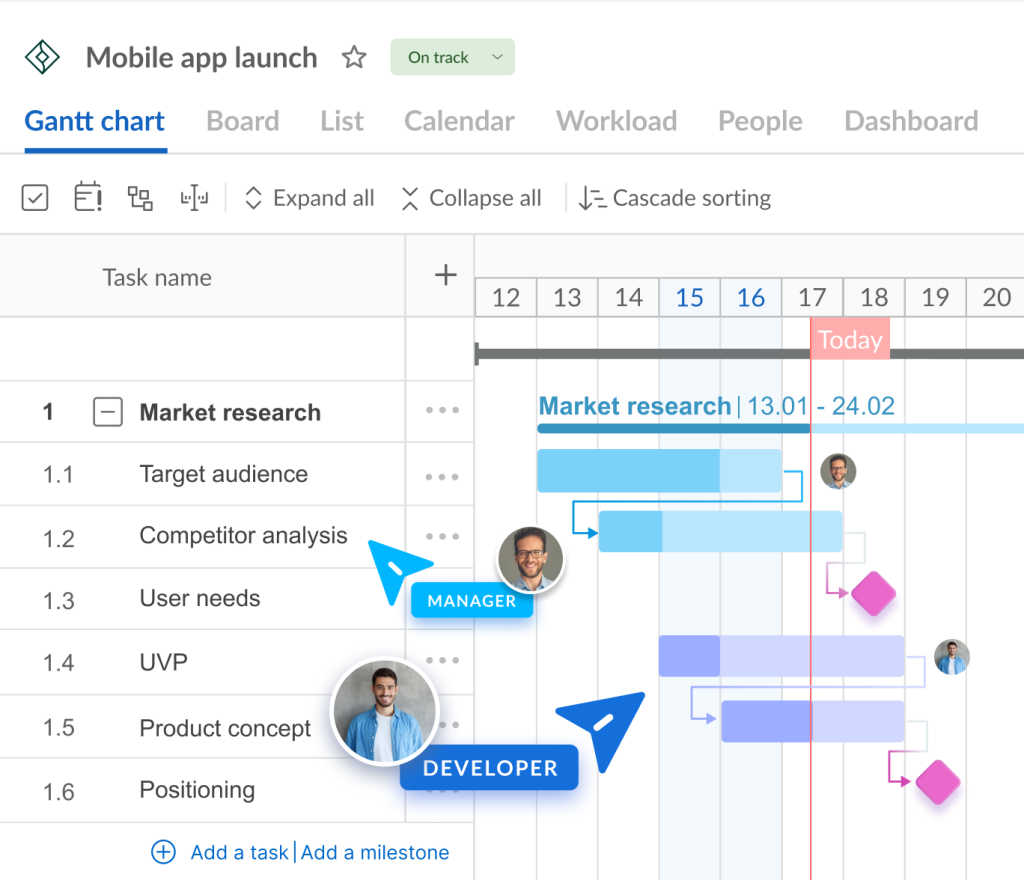
You go from an idea to an execution plan in minutes.
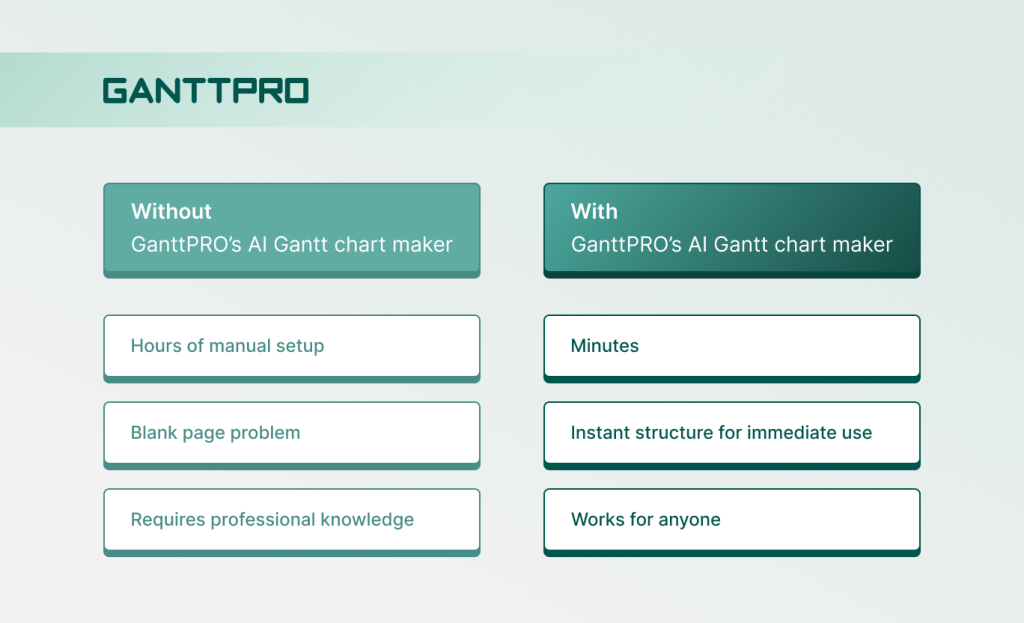
Before vs. after, or why this changes everything
Simply because you don’t need to be a professional project manager.
You don’t even need to know how a Gantt chart works.
You describe your idea – the AI handles the structure, tailored to your needs.
You do not spend hours on planning.
You actually begin working on your project.
Prompt writing tips
Here is the key point: you do not need to learn prompting.
You just need to provide a clear project description.
The AI takes this information and structures your project. It defines the scope, key tasks, what cannot be skipped, who is involved, and much more.
The level of detail you provide matters:
- A short description (1-3 sentences) gives you a high-level plan.
- A detailed description gives you a more tailored breakdown.
The more precise you are, the more accurate your AI-generated plan will be.
A plan that is fully editable
The generated project is still under your control.
You can:
- Refine tasks.
- Adjust timelines.
- Change milestones.
- Reassign roles.
Think of it as a strong draft that is fully customizable.
This video highlights the key information about GanttPRO’s AI Gantt chart maker.
Planning projects shouldn’t take longer than doing them
Planning should be accessible to everyone.
GanttPRO’s AI Gantt chart maker removes the barrier between idea and execution.
With it, you skip the hardest part – a blank page – and go straight to a working plan.