


Successful projects depend on keeping the right people informed.
While project teams need full access to day-to-day work, stakeholders, sponsors, and clients often only need a high-level overview of project progress and performance.
At the same time, teams managing multiple projects need an easier way to collaborate at the portfolio level.
In this release, we are introducing Dashboard export as well as invitations to portfolios in GanttPRO.
Share your Dashboard in a convenient PDF format
Your Dashboard in GanttPRO already brings together the most important project metrics.
In one place inside the app, widgets help you:
- Track your project’s progress, budget, and time spent on tasks.
- Spot risks before they become problems.
- Get a clear overview.
Now you can share those insights just as easily.
With a single click, you can export your project’s key metrics as a PDF. The exported file presents your project data in a clear, easy-to-read layout with visual charts. It makes it simple to share them with stakeholders even if they don’t have access to GanttPRO.
Find the corresponding button in the upper-right corner.
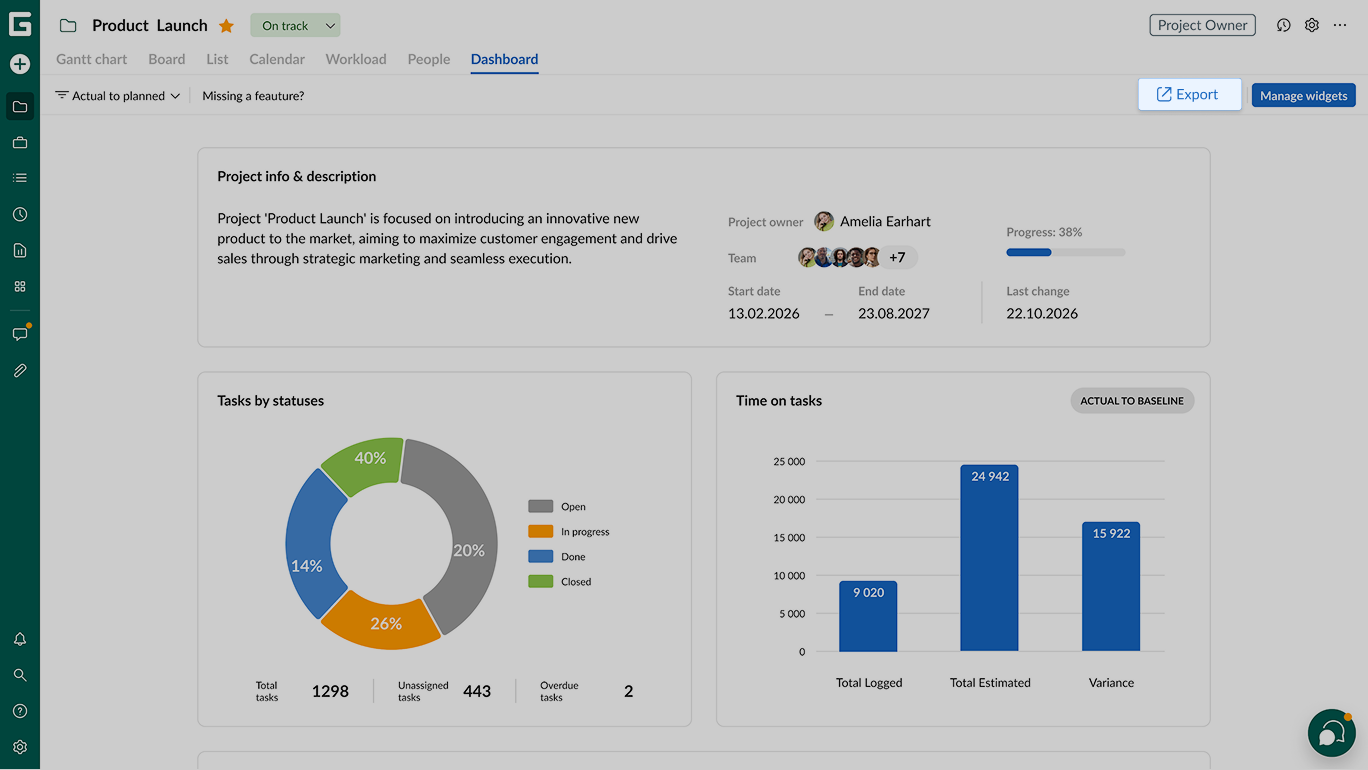
The option is available at project and portfolio levels.
Invite users to portfolios for collaboration and synchronization
Portfolio management often involves several managers, department leads, and stakeholders.
Without portfolio-level access, teams have to share updates manually or duplicate information across projects.
Portfolio invitations eliminate that extra work by bringing the right people directly into one place.
You will find this feature useful if you need to:
- Give access to the same portfolio view.
- Collaborate on portfolios.
- Stay synchronized across teams.
- Give stakeholders quick access to portfolio insights.
Find the People tab in the header.
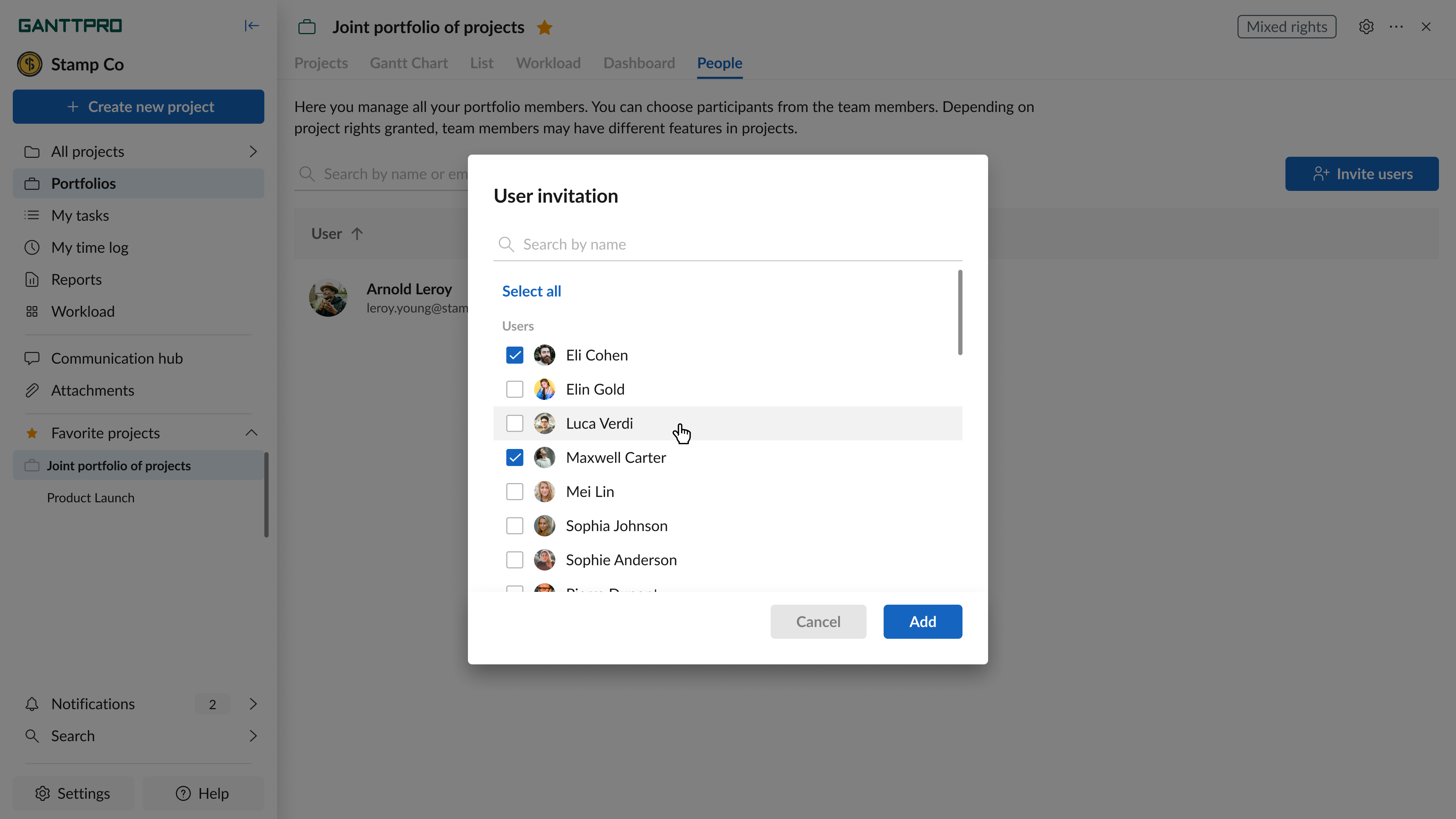
Invitation to portfolios minimizes:
- Manual status sharing.
- Duplicated communication.
- Switching between multiple projects.
Share project insights more easily and collaborate on portfolios
Whether you’re sharing project updates with stakeholders or coordinating work across multiple projects, Dashboard export and portfolio invitations help you spend less time preparing updates and more time moving projects forward.
If you have any questions, contact us via live chat, and we’ll be happy to help.