


When considering a Gantt-based project planning tool for enterprise projects, businesses often want to ensure that a given solution not only has all the features they need today, but can also be customized to meet evolving requirements.
That is why customization capabilities should not be ignored during the product evaluation. In some cases, the customization factor becomes a priority and may even lead teams to take a different approach – embedding custom Gantt functionality into proprietary systems or building tailored solutions from the ground up.
In this article, we’ll elaborate on the role of customization in enterprise project management, highlight the main customization options in GanttPRO and explain how DHTMLX Gantt chart, the scheduling technology powering GanttPRO, supports organizations requiring a deeper level of Gantt chart customization.
Why customization matters in enterprise environments
Enterprise organizations increasingly operate in environments where processes, strategies, and goals change rapidly.
It’s better for executives to address these changes without delay.
According to the Annual Global CEO Survey by PwC (2024), 45% of CEOs believe that their current business model and strategy will cease to be viable within the next 10 years unless the company continuously transforms its processes.
High-quality online tools help ensure a smooth transition during periods of change.
When project planning software cannot be fully integrated into existing project workflows, teams often face adaptation challenges and create workarounds.
Customization helps avoid such issues and enables timely adjustments to keep the system aligned with new business realities.
This is especially relevant for enterprise-level Gantt solutions, where teams may need to modify the look and feel of the UI (grid table and timeline), task structures, dependencies, milestones, and other project planning elements.
Now, we can proceed to exploring how GanttPRO users can customize Gantt charts to meet their specific project management needs.
Built-in flexibility for enterprise teams with GanttPRO
The online Gantt chart is the most loved and valued functionality among GanttPRO users. Being the centerpiece of GanttPRO’s project management experience, it provides a powerful set of planning, collaboration, and tracking capabilities.
To speed up the initial project setup, GanttPRO provides the AI Gantt chart maker capable of assembling a workable Gantt project in minutes based on text prompts.
It also offers the AI project planner that raises the bar even higher. Users can quickly create their projects using text, voice, or attachments – and in any combination.
The resulting project can be further adjusted to meet certain requirements. For this purpose, GanttPRO provides an extensive set of built-in configuration and customization settings that help reshape the project planning environment without any development efforts.
Let us go through the main Gantt chart customization options available in GanttPRO.
Flexible roles and rights management
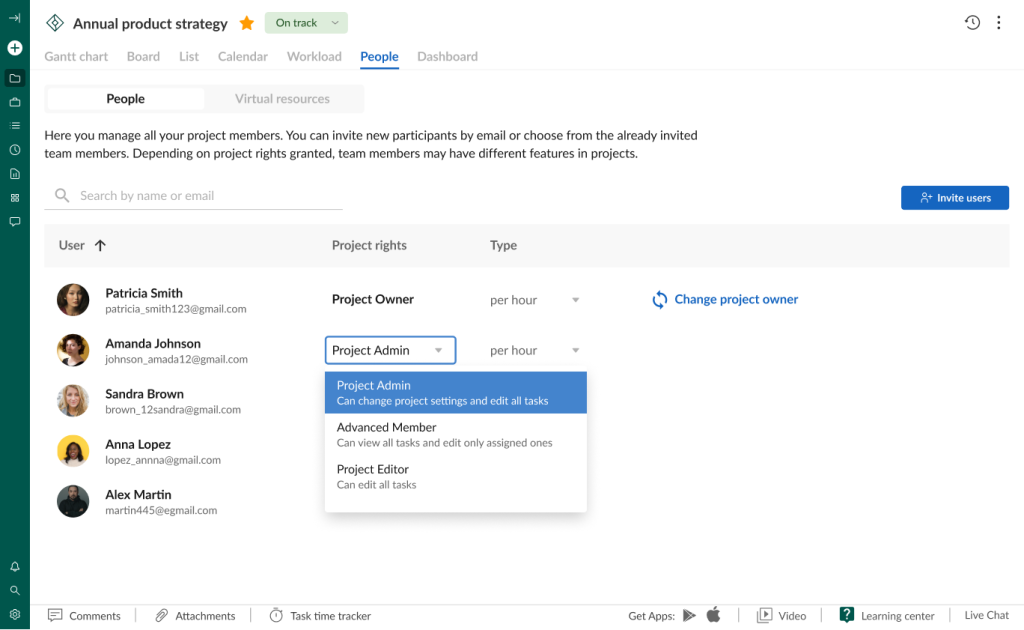
Enterprise projects often involve a wide range of participants with different responsibilities and access rights to project information. To create more favorable conditions for team collaboration and secure handling of project information, GanttPRO offers two levels of customizable permissions:
- Account roles (Owner, Admin, Member).
- Project rights (Owner, Admin, Editor, Advanced/Limited Member, Commenter).
Account roles specify capabilities within a given account, while project rights determine actions available for users in individual projects.
In most cases, the predefined options turn out to be enough for defining permissions for project teams.
For organizations with specialized governance policies, it is possible to create custom roles and rights containing mixed sets of permissions for corresponding accounts and projects (available in the Enterprise plan only).

Gantt view personalization
Every team has its own understanding of how project data should be presented in the Gantt chart.
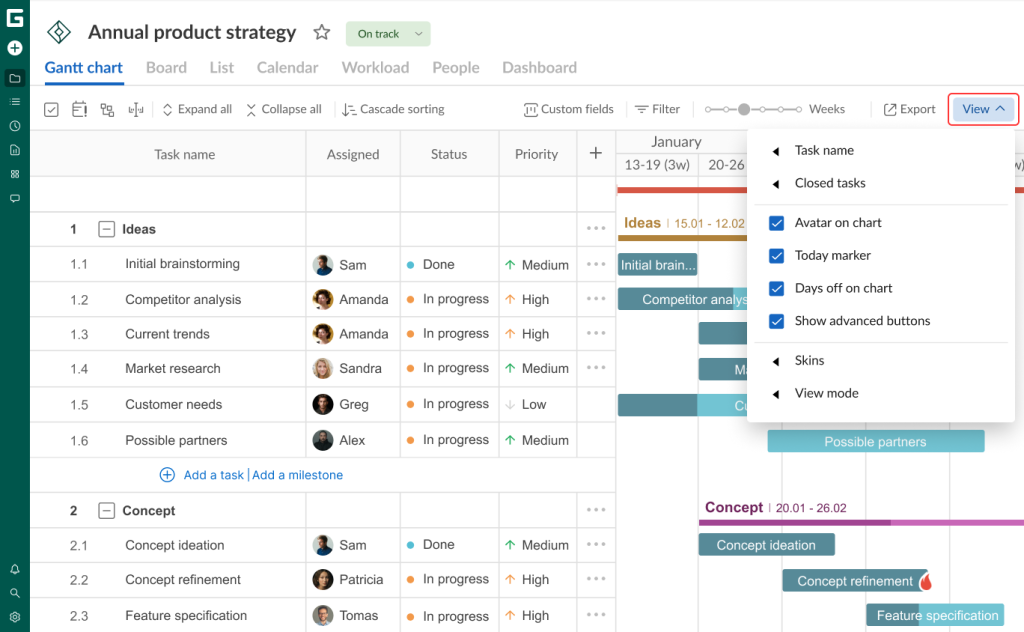
GanttPRO enables users to personalize the workspace according to their individual preferences.
The list of available built-in customization options for the Gantt view includes:
- Task name positioning.
- Visualization of completed tasks.
- Assignee avatars on the chart.
- Today marker.
- Weekdays and weekends on the timeline.
- Advanced buttons for adding tasks and milestones on the grid.
- View modes (Compact, Auto, Touch).
- UI skins.
These settings allow different members of the project team to work with the same project, while viewing information in the format that feels most natural and convenient for them.

Custom fields for project data
GanttPRO comes with predefined fields displayed as vertical columns within the project grid table, allowing teams to track, organize, and manage core metrics and task details (status, progress, priority, etc.) used in many projects.
However, enterprise organizations often need to monitor specific aspects of work that go beyond these standard attributes.
For such cases, the software provides nine types of custom fields that can be tailored to various use cases:
- Text.
- Number.
- Date.
- List.
- Checkbox.
- Color.
- Multiselect.
- People.
- Label.
With custom fields, it becomes much easier for teams to introduce data points that are relevant for their projects.
GanttPRO allows creating such fields both inside a single project and at the broader account level. The latter approach allows saving and reusing them across multiple projects.
Check the following video tutorial that conveys how to make the most of custom fields in GanttPRO.

Custom templates for standardized project workflows
Every project is unique in its own way, but many details are repeated each time in varying degrees.
That is why many GanttPRO users take advantage of professional Gantt chart templates with predefined structures for various industries instead of starting a new project from scratch. In projects based on templates, it is also possible to copy any block of tasks and paste it in the same or other projects.
But you can go even further by creating custom templates that align more closely with a particular organization’s business approach and minimize setup time for similar projects.
Moreover, custom templates retain advanced settings (project calendar, custom field values, resources, etc.), which can be optionally included in a new project. Read more on the subject in this blog post.
In addition, GanttPRO also allows customizing project calendars by, for instance, specifying non-standard working hours for certain days. Calendars with such custom schedules can also be saved as templates for repeated use in various projects.
Such extensive customization options are highly valued by GanttPRO users. One of them is Roberto O., a project manager in the computer software sphere, who notes:
GanttPRO has been an invaluable tool in my project management journey. Its intuitive interface and comprehensive feature set have significantly improved my ability to plan, track, and manage complex projects. Its flexibility and customization options allow me to tailor it to my specific needs.
All customizations listed above together with a robust set of core features make GanttPRO a strong choice for many enterprises.
But some organizations may decide that they need more control over how the Gantt functionality is designed, behaves, and integrates into their business environment.
The solution here is to build a new project-planning app or to integrate the Gantt functionality into an existing proprietary solution. It is a challenging task that requires considerable time and resources.
For those determined to take this path, we recommend DHTMLX Gantt that will make things much easier.
Let us explain why.
Deep Gantt chart customizations with DHTMLX Gantt
DHTMLX Gantt has been a foundational part of GanttPRO’s technical stack for over a decade.
Over the years, we have not had any serious issues with the integration and maintenance of this mature JavaScript Gantt Chart. It helps ensure accurate scheduling and management of complex workflows in enterprise projects via the Gantt view.
Many of the Gantt features admired by our users are in fact out-of-the-box features of DHTMLX Gantt, including:
- Auto-scheduling engine.
- Critical path.
- Dynamic loading.
- Resource management.
- Different time scales.
- Task grouping.
Learn more about the GanttPRO experience with DHTMLX Gantt in this article.
As for customization, DHTMLX Gantt provides an extensive API for building Gantt charts that look and operate according to specific requirements. For instance, you can build a Jira-like roadmap with custom timeline icons, status bar, and timeline resizer.

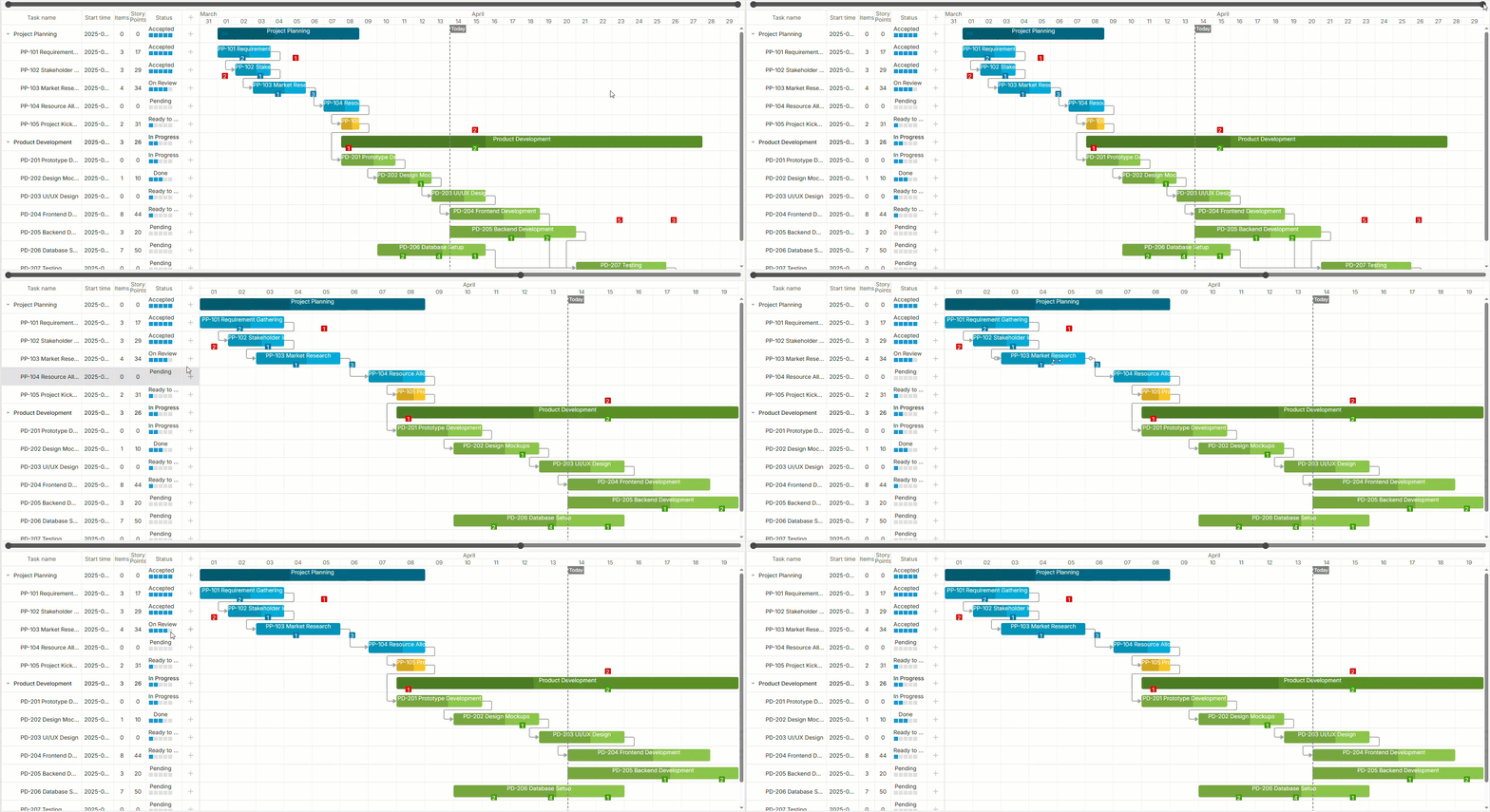
In addition, the Gantt component comes with a large collection of live samples and demos, covering even more configuration and customization scenarios, including:
- Gantt chart with a minimap.
- Tasks with draggable progress bars.
- Navigation to tasks outside of the viewport with scroll buttons.
- Custom lightbox (edit form) with Bootstrap styles.
- Custom baselines.
Here’s what Sebin T., a lead analyst programmer in the information technology and services sphere, thinks about the DHTMLX Gantt capabilities:
We have used DHTMLX Gantt in different projects, and one of its standout features is its highly intuitive and customizable interface. It allows for complex project timelines to be managed visually with ease, which is especially useful when handling interdependent tasks and milestones. Additionally, its robust API and flexible integration options mean you can tailor it to fit almost any project management workflow or technology stack.
The DHTMLX blog includes other useful tutorials on Gantt customization and plenty of customer spotlights with real stories on delivering custom Gantt charts in enterprise projects. The official documentation provides guides on customizing various Gantt elements with code snippets.
Given the massive global interest in using artificial intelligence in modern software solutions, it is worth noting a few DHTMLX demo projects, such as AI Gantt chart maker and AI Gantt theme builder. They show how to empower Gantt charts with AI-assisted chart creation and theme generation.
From a development perspective, it is also possible to benefit from AI with DHTMLX Gantt thanks to the availability of the official DHTMLX MCP server and agent skills. This combination should help streamline the delivery of any ideas for enterprise planning systems using DHTMLX Gantt.
Make custom Gantt charts for enterprise project management a key driver of your growth
As this article shows, enterprises can address their Gantt customization needs at different levels.
GanttPRO provides a good balance of functionality, usability, and flexibility. Built-in customization options allow teams to personalize their project planning experience and benefit from the established solution that does not require any ongoing maintenance.
DHTMLX Gantt comes into play when organizations decide to integrate deeply customized Gantt functionality into a proprietary system or build a standalone Gantt app.
Ultimately, the goal is to find the level of customization that best supports the way teams plan, collaborate, and deliver projects.